

What you can build
Start with one invoice call and one signed webhook. Add payment links, reminders or collection only when your product needs them.
- 1Send the invoice
POST /v1/invoicesRieck creates the PDF, issues the invoice and delivers it to the customer.
Invoice flow - 2Receive the result
invoice.paidA signed webhook keeps your order, ledger or customer access in sync.
Webhook handling - 3Recover overdue debt
POST /v1/invoices/{id}/collectContinue into reminders and collection without building another customer flow.
Collection flow
Customer experience
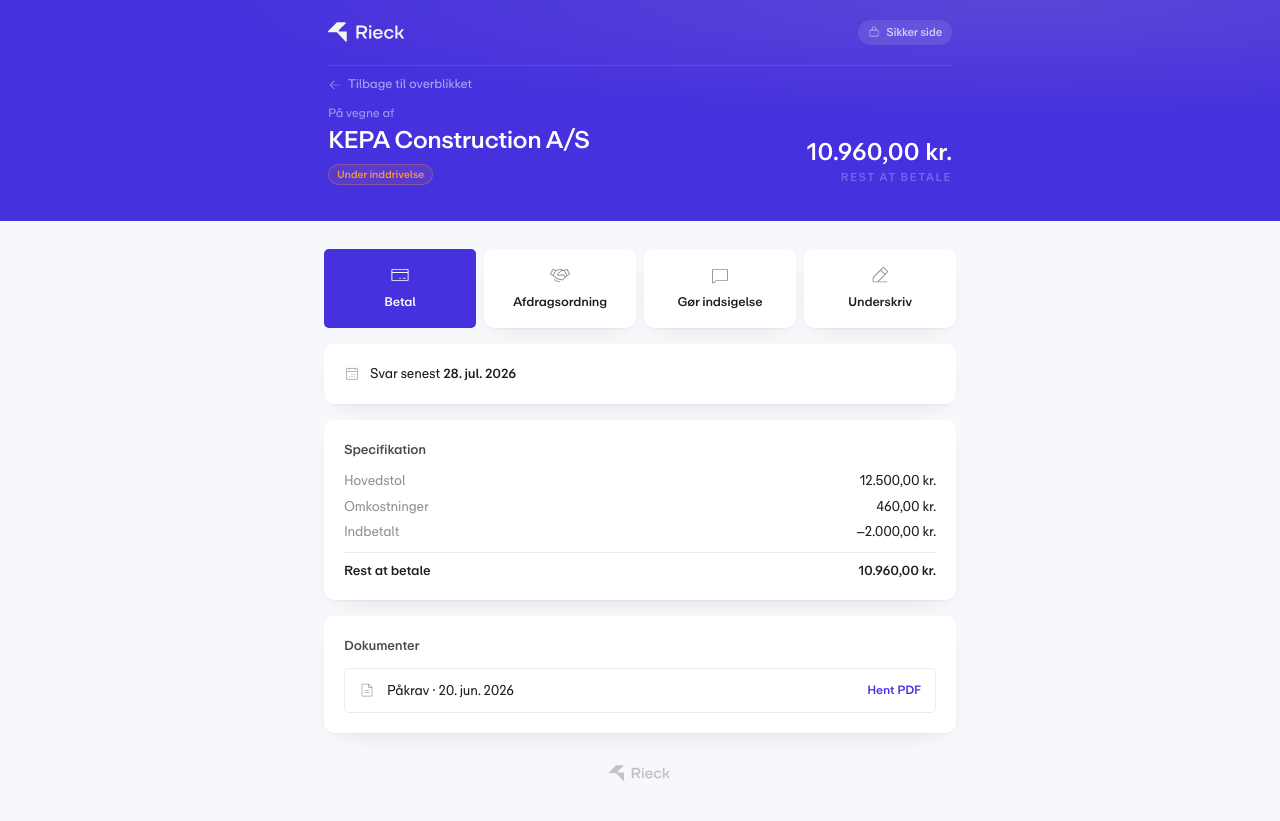
Your API call becomes something the customer can use
Rieck hosts the secure customer surface. The customer can pay, request an instalment plan, object to the claim and open the documents behind the case.
- Built by you
- The trigger and your business rules
- Handled by Rieck
- Documents, payment and statutory workflow
- Returned to you
- Signed status events
Choose the smallest integration
Section titled “Choose the smallest integration”| Your goal | Start with | Add when needed |
|---|---|---|
| Send an invoice and get paid | POST /v1/invoices?issue=true&send=true | invoice.paid webhook |
| Add payments to your own UI | POST /v1/invoices/{id}/payment-link | Hosted customer portal |
| Gate a SaaS account on unpaid debt | GET /v1/customers/{id}/balance | customer.past_due webhook |
| Automate recurring billing | POST /v1/subscriptions | Payment-method setup link |
| Continue an overdue invoice into collection | POST /v1/invoices/{id}/collect | Case status and event feed |
The integration cookbook describes the recommended shape for webshops, SaaS products, ERPs and accounting systems.